Unlimited verified B2B
contacts for your AI
Claude/ChatGPT/API access to 542M+ B2B contacts with endpoints for: people search, email & phone enrichment, profile lookups, and much more.


 Nick Abraham,
 Eric Nowoslawski,
 Michel Lieben and
 Cody Schneider love GetLeads
Explore the data
Browse the fields or download a sample CSV for each dataset.
Contacts
52 fields · 4 categoriesSee current roles, career history and the contact details on file. Together, the contact and company sections list the 95 fields you can request in contact search. Green fields can also be used as filters.
Companies
43 fields · 7 categoriesFind employers by industry, headcount, headquarters or technology. Records can also include funding history and investors.
US local businesses
23 fields · 4 categoriesSearch Google Maps listings by category, city or ZIP code. See ratings, review counts, phone numbers and website emails where available.
Job posts
26 fields · 6 categoriesSearch job titles and descriptions for roles or tools. Filter by posting date or open status, then use the company domain to find decision-makers.
Look up a contact
- Reverse email lookup
Match a personal email to a LinkedIn profile, or start with the profile to find a personal email on file.
- Reverse phone lookup
Start with a phone number to find a matching contact, their employer and their work email where available.
Capture live leads
These services are billed separately through your prepaid wallet.
- Company followers
Build a list of people who follow a LinkedIn company page.
- Post engagement
Collect people who liked or commented on a LinkedIn post, or monitor a public profile for new engagement.
- Website visitors
Install a pixel on your site to identify US visitors GetLeads can match to a person.
See GetLeads in action
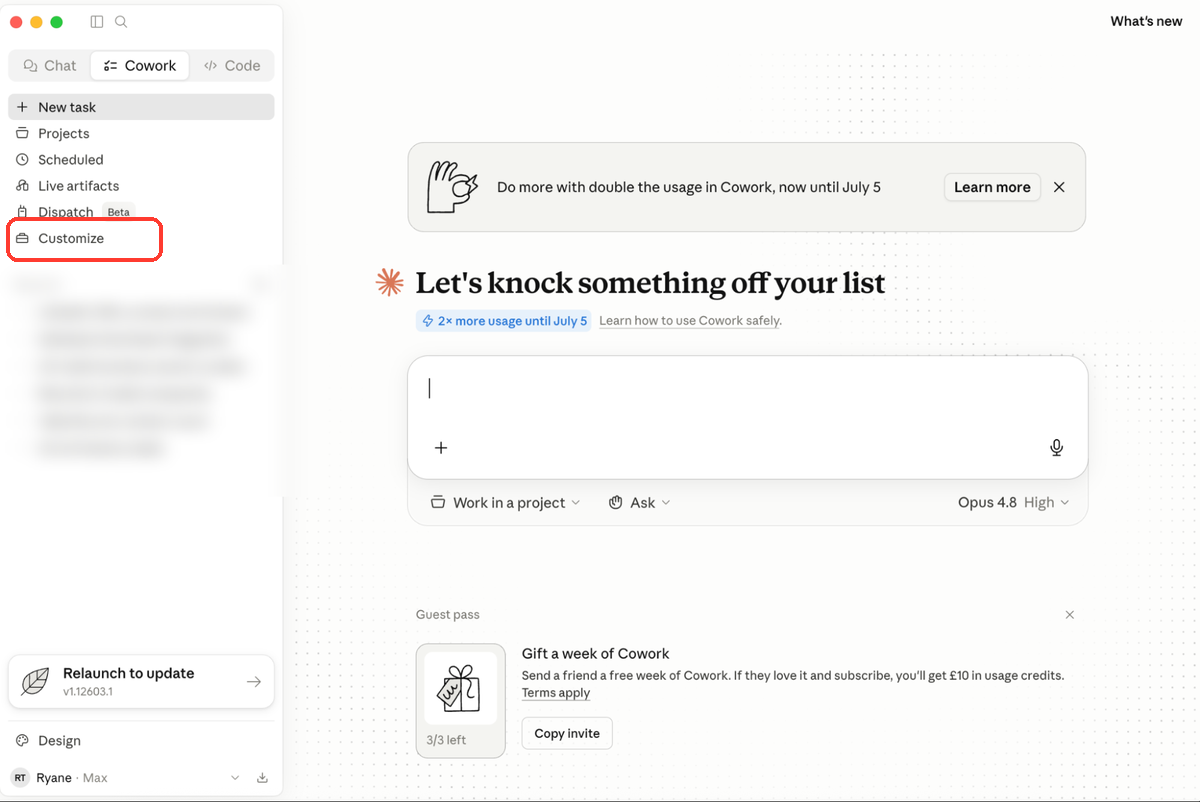
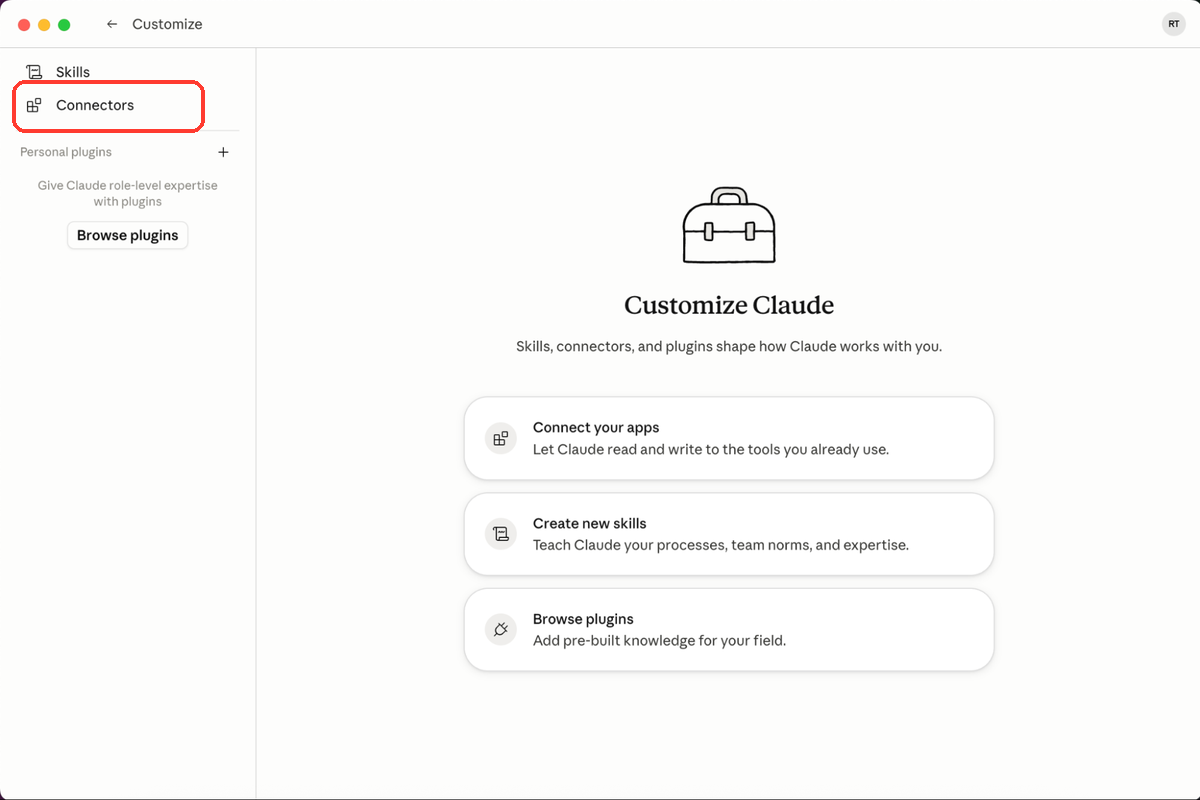
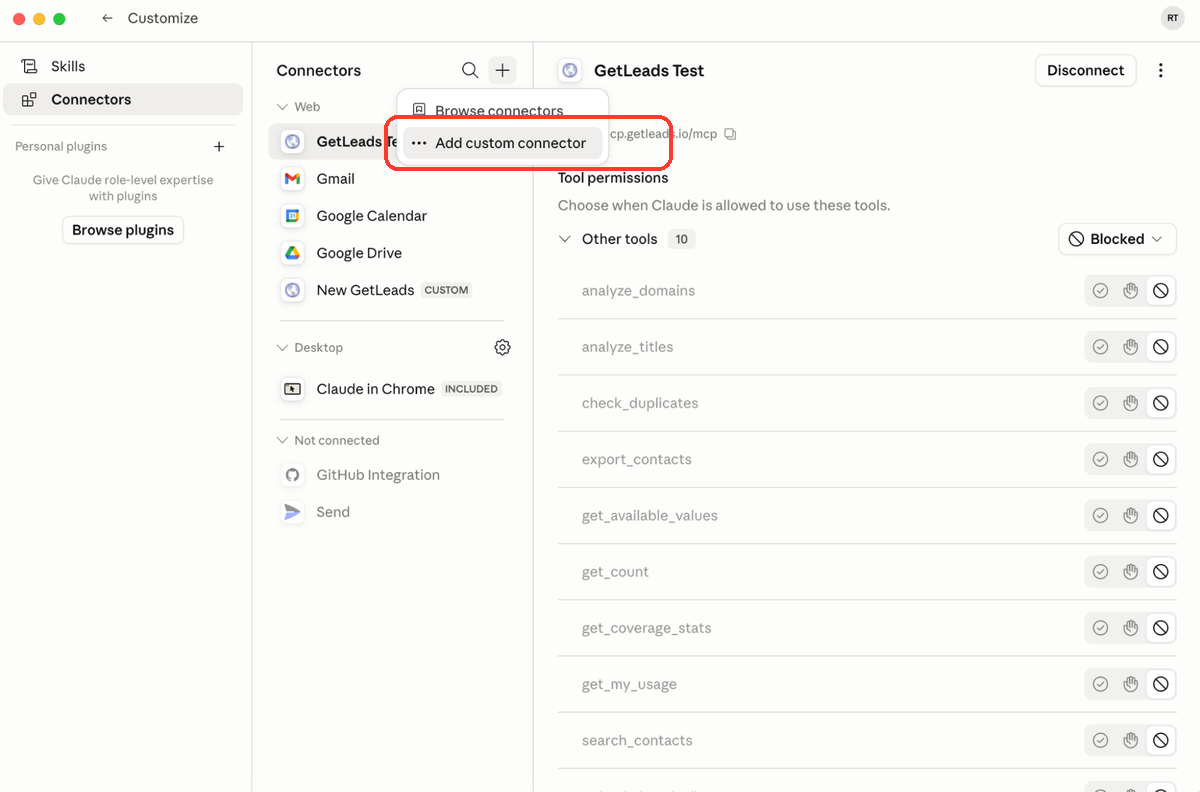
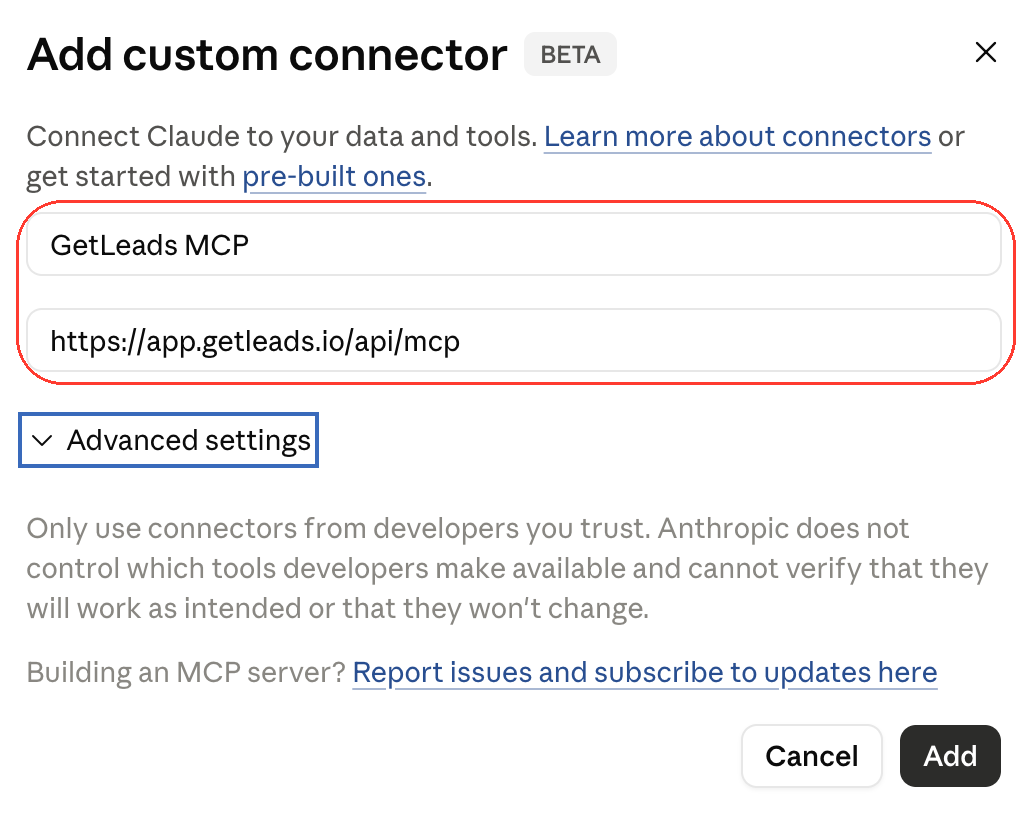
542M+ B2B contacts.
Start with 1,000 free credits. No credit card required.